TonalierApp Store
Tonalier
Coming soon on the App Store
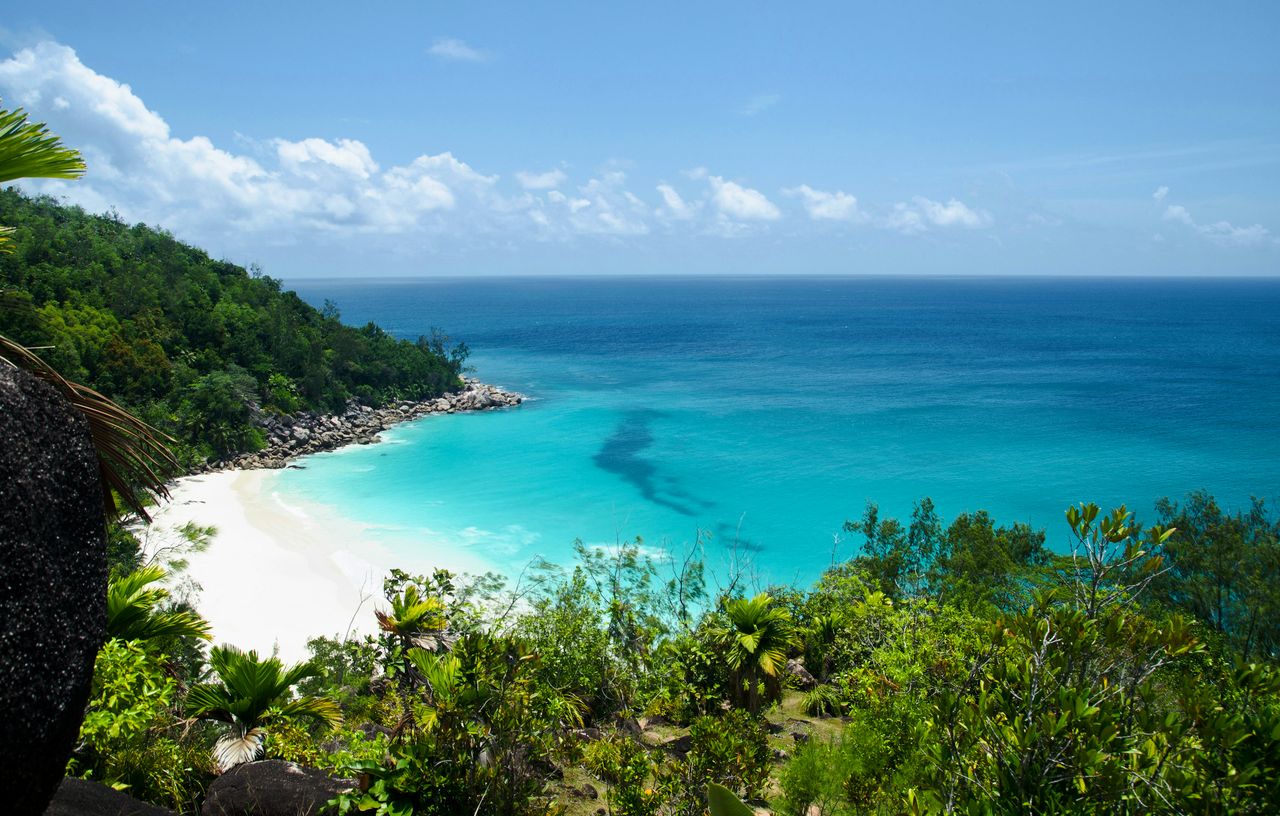
A tropical beach from above: turquoise water, white sand and green hills, edited by Maren.
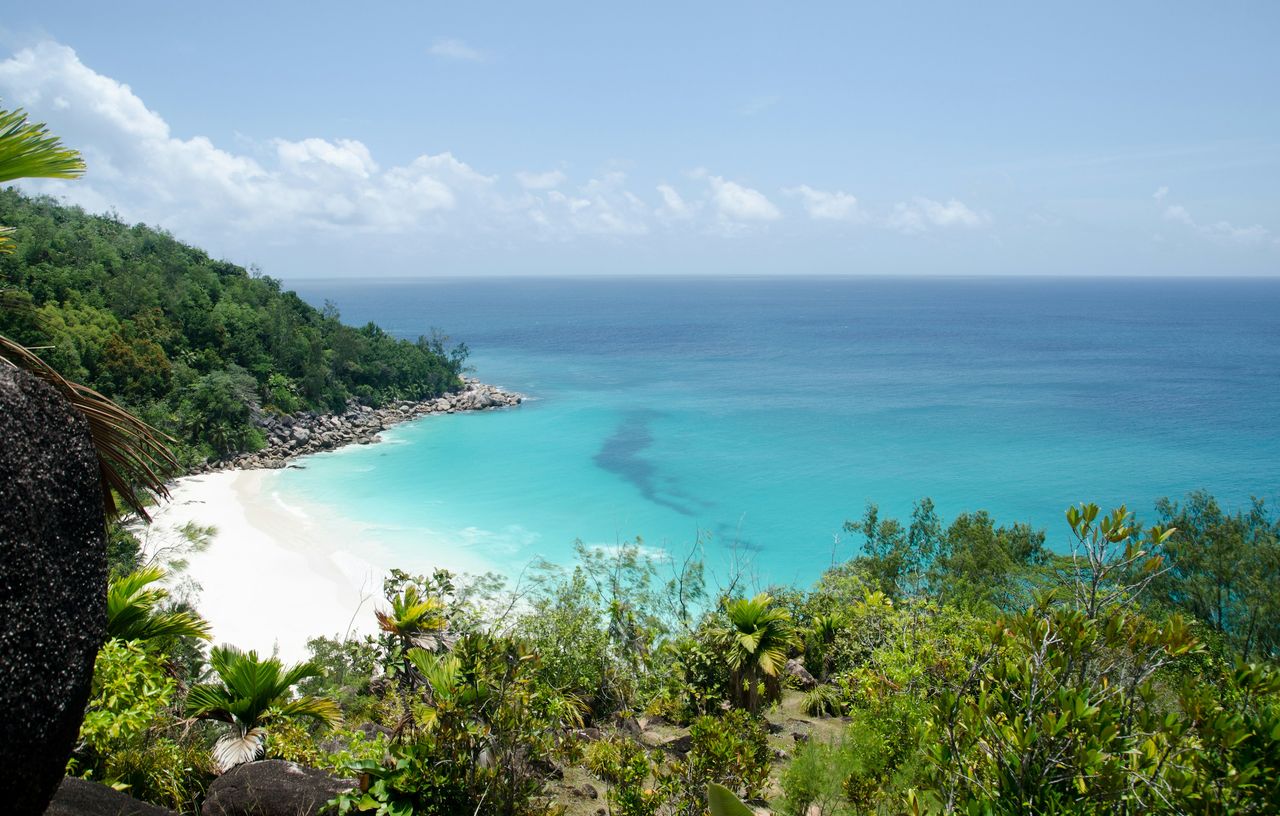
The same beach as it was shot, hazy and pale.

Photo: Ron Barabash

RAW photo editor for iPhone, iPad and Mac

Now your photos have an editor.

Tonalier reads your photo, edits it in a style you choose and shows you every step. Every control stays in your hands.

Coming soon on the App StoreSee how it works

Free to start. Every editing tool included.
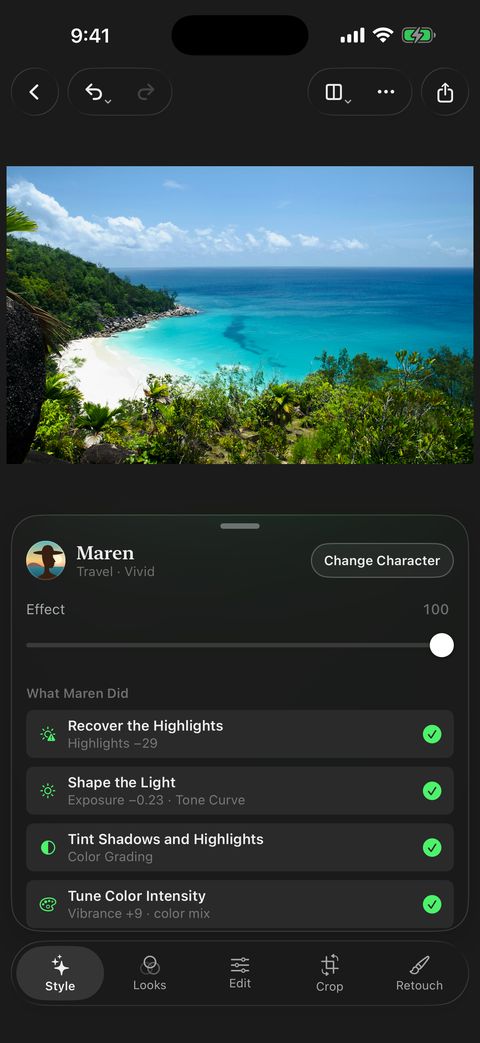
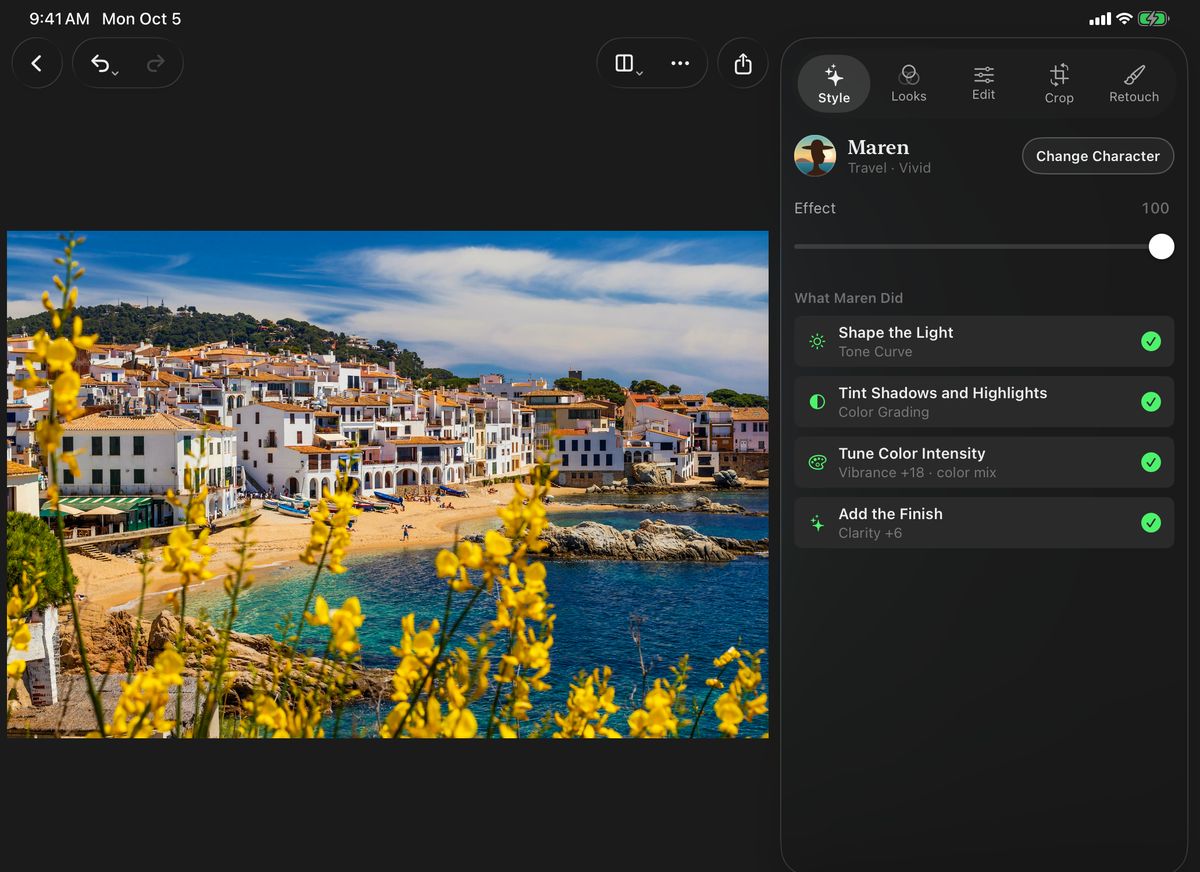
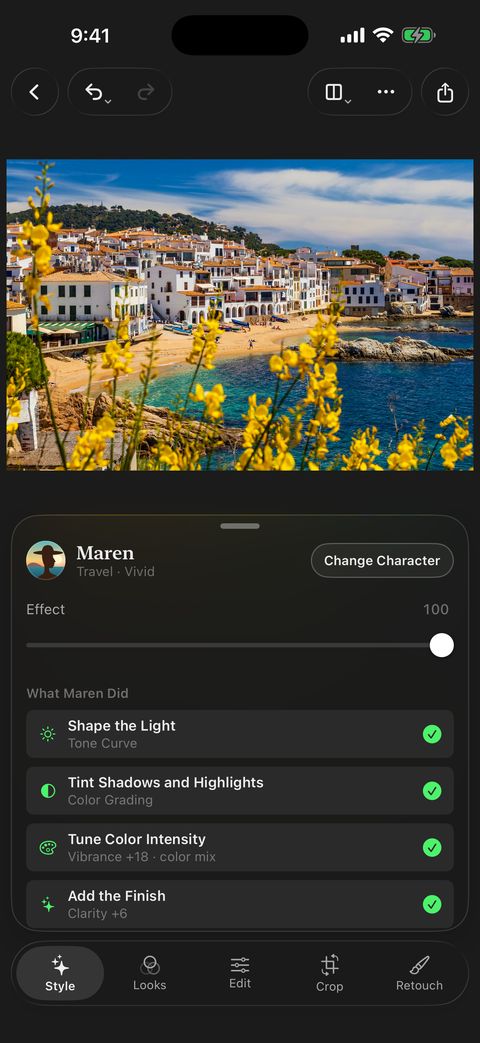
Tonalier on iPhone: the beach photo edited by Maren, with the list What Maren Did below it.

Characters

Three editors. Three ways of seeing.

Pick one. It reads your photo, edits it in its own style and lists every step. A Look gives you a mood; a character fits it to your photo.
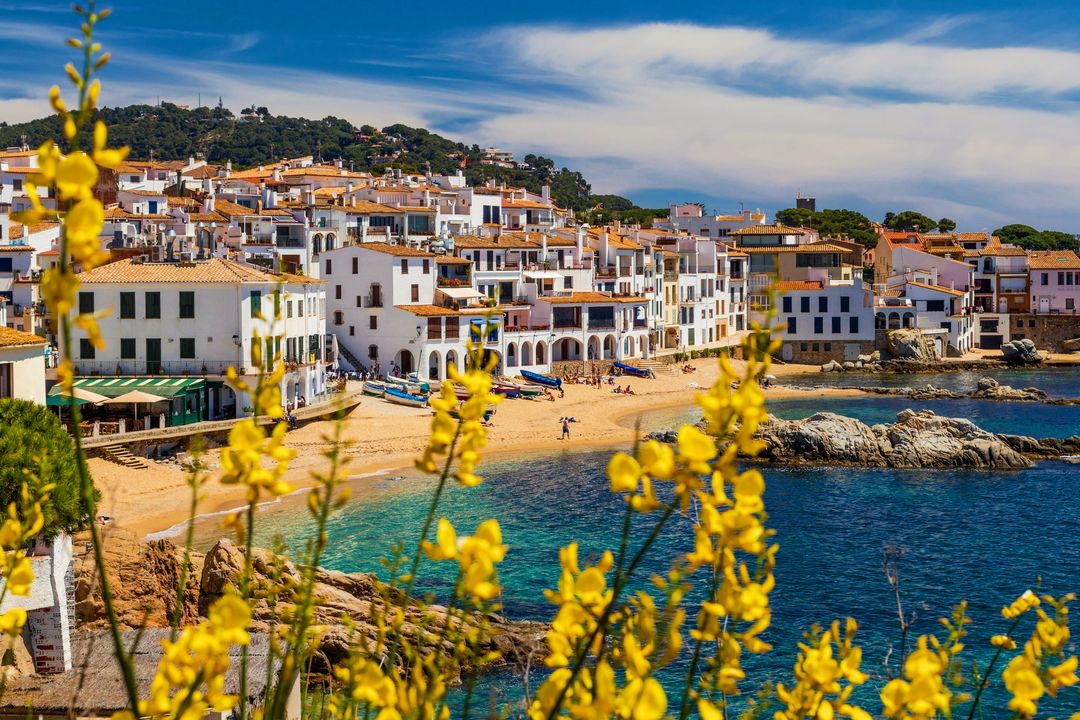
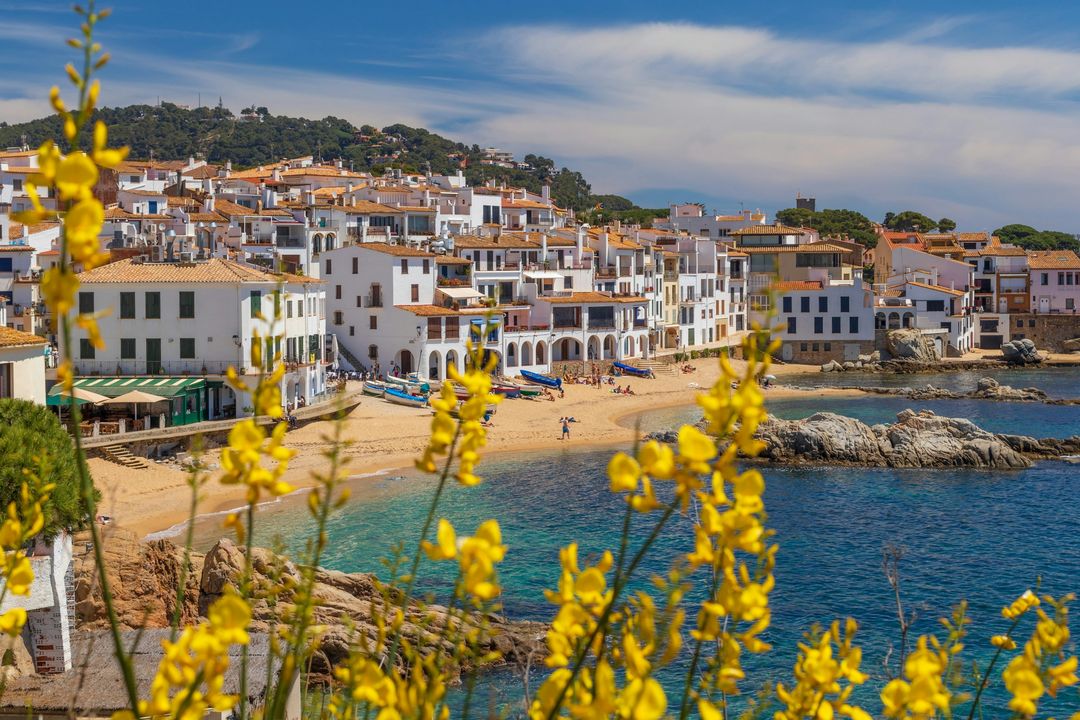
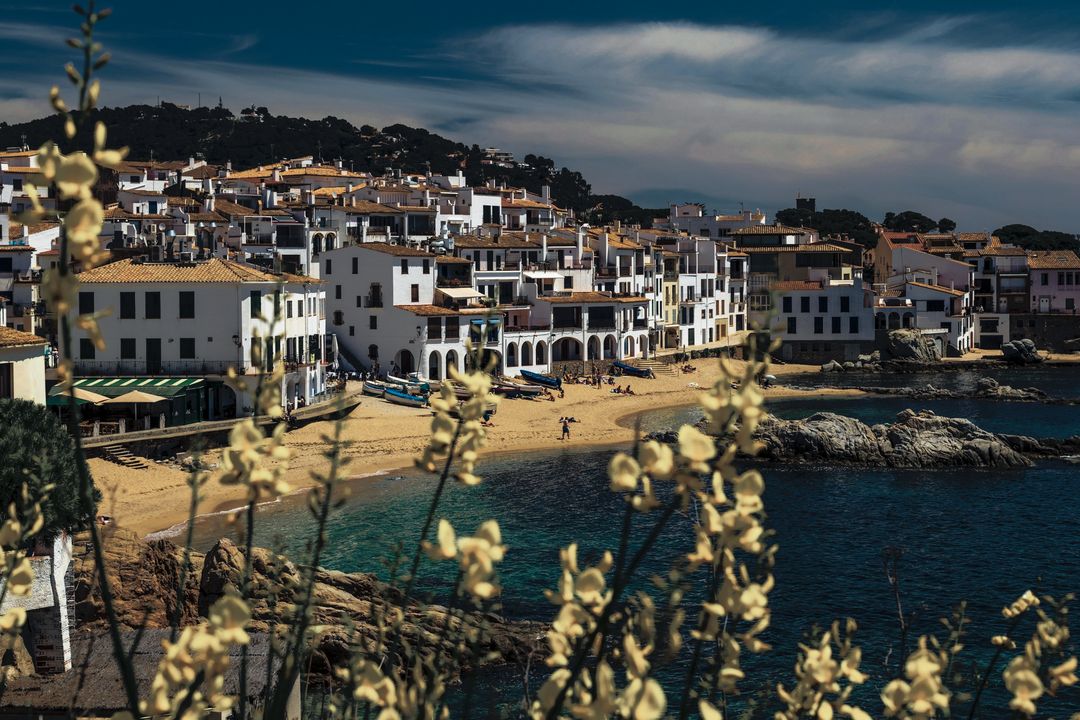
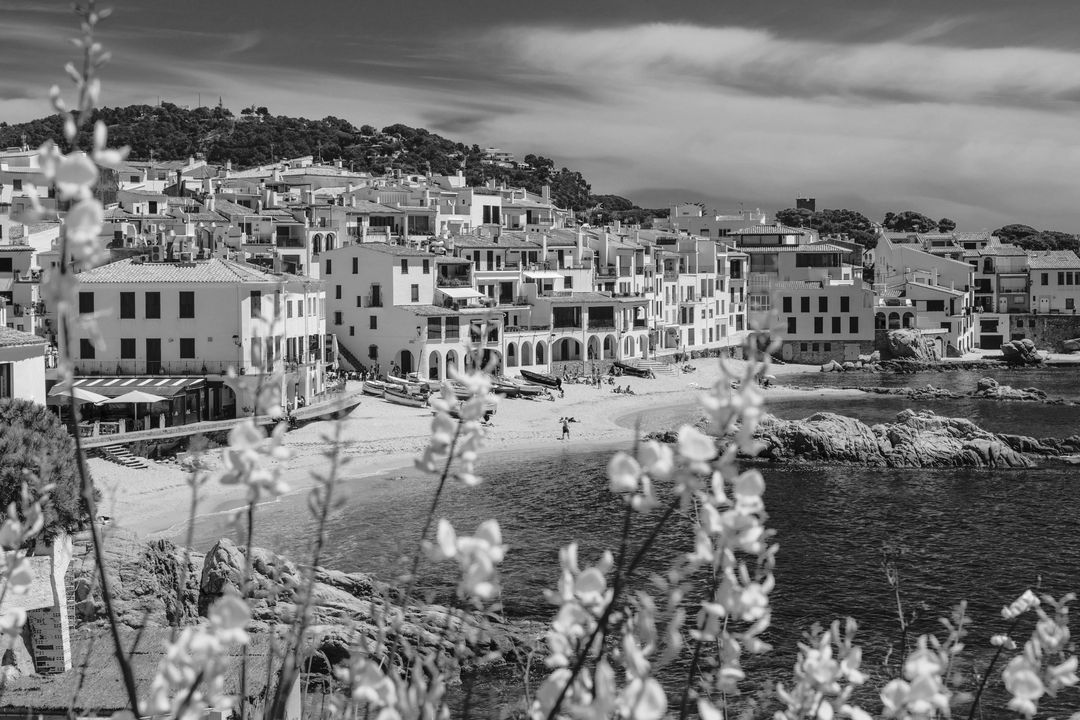
A white coastal village above a turquoise bay, framed by yellow flowers, edited by Maren

Photo: Susan Flynn

Photo: Vadim Babenko

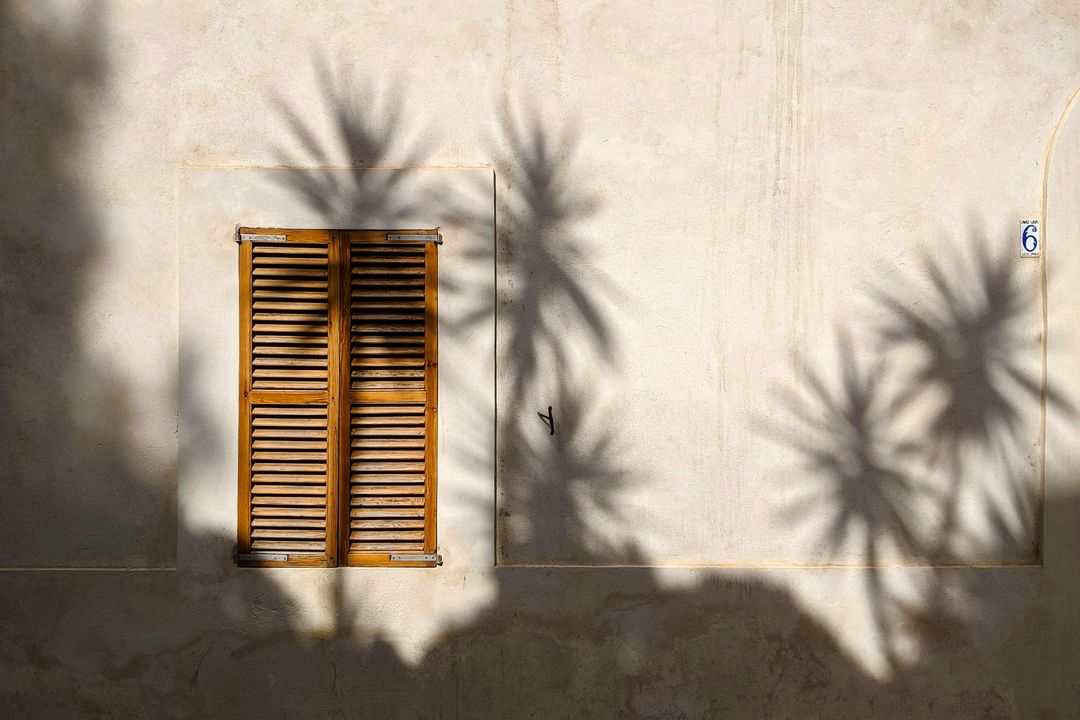
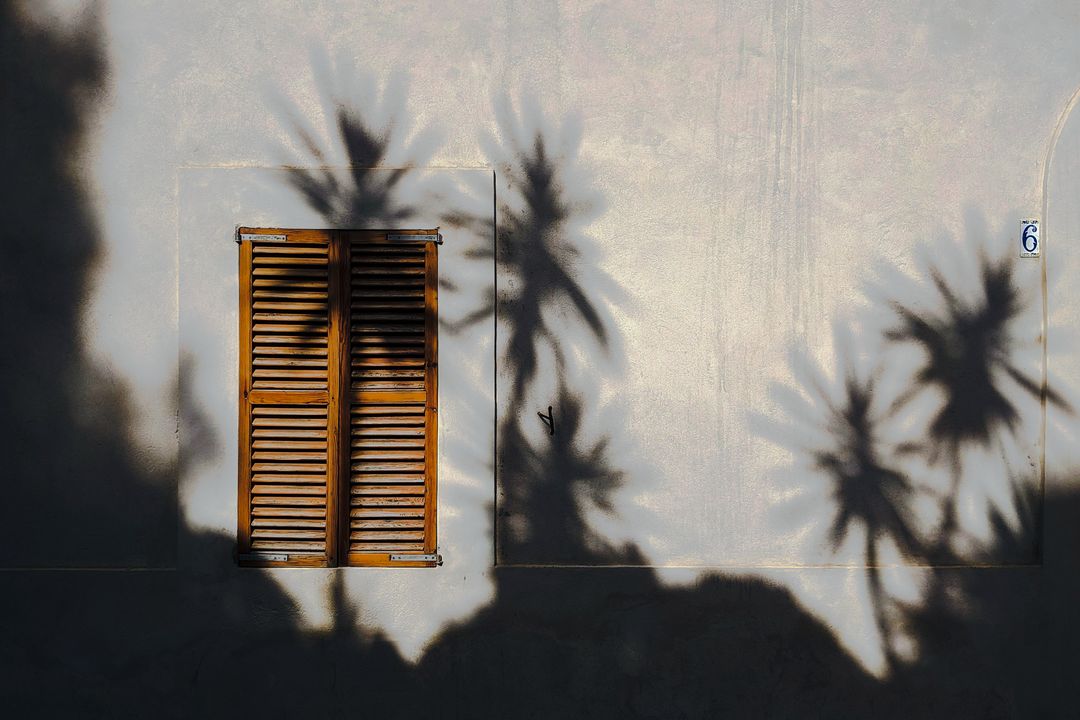
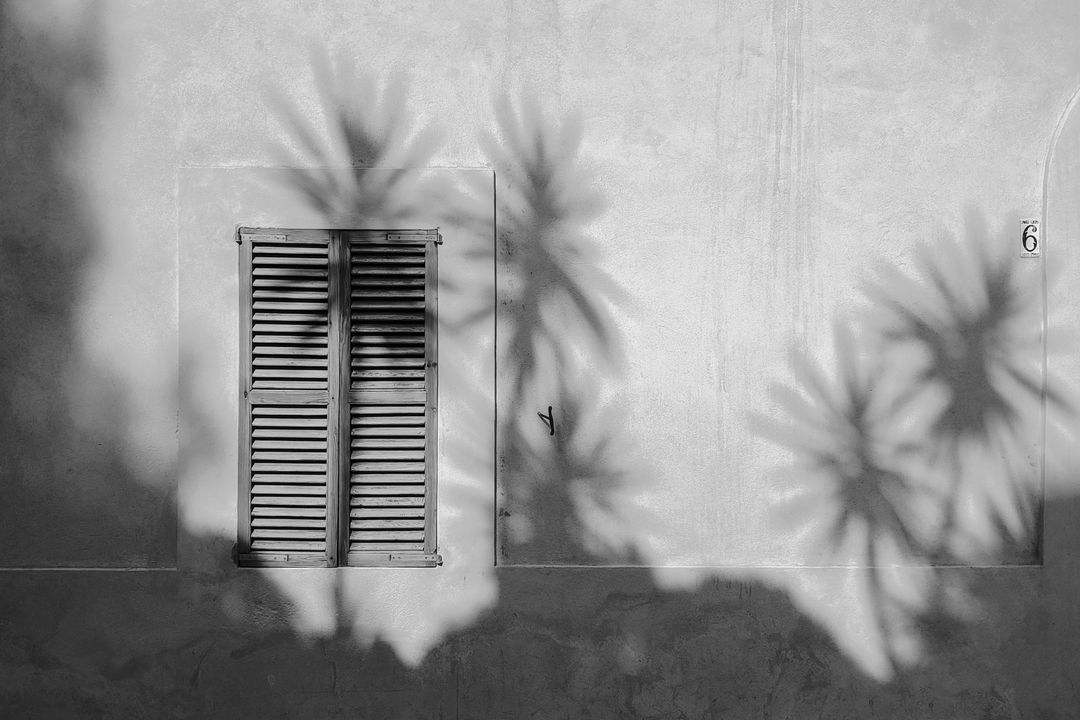
Photo: Kadir Celep

Original

Your photo, as you shot it.

MarenFree

Travel · Vivid · Deep Skies · Turquoise Water · Warm Skin

RafePro

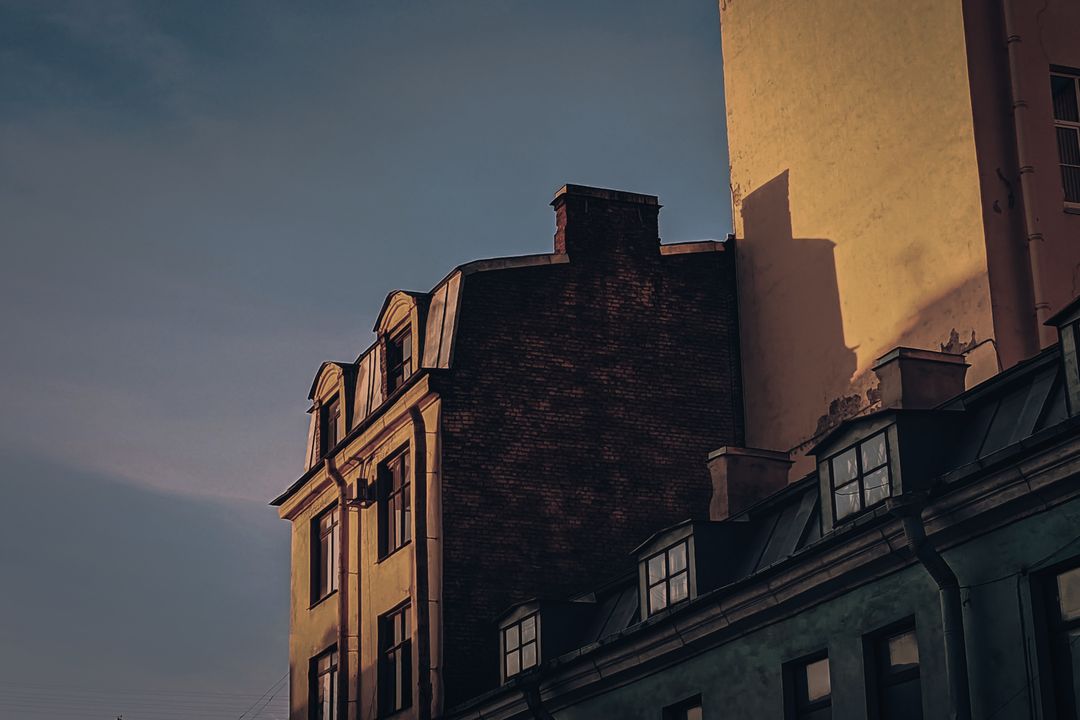
Blue Hour · Deep Tones · Muted Color · Warm Lights

IvoPro

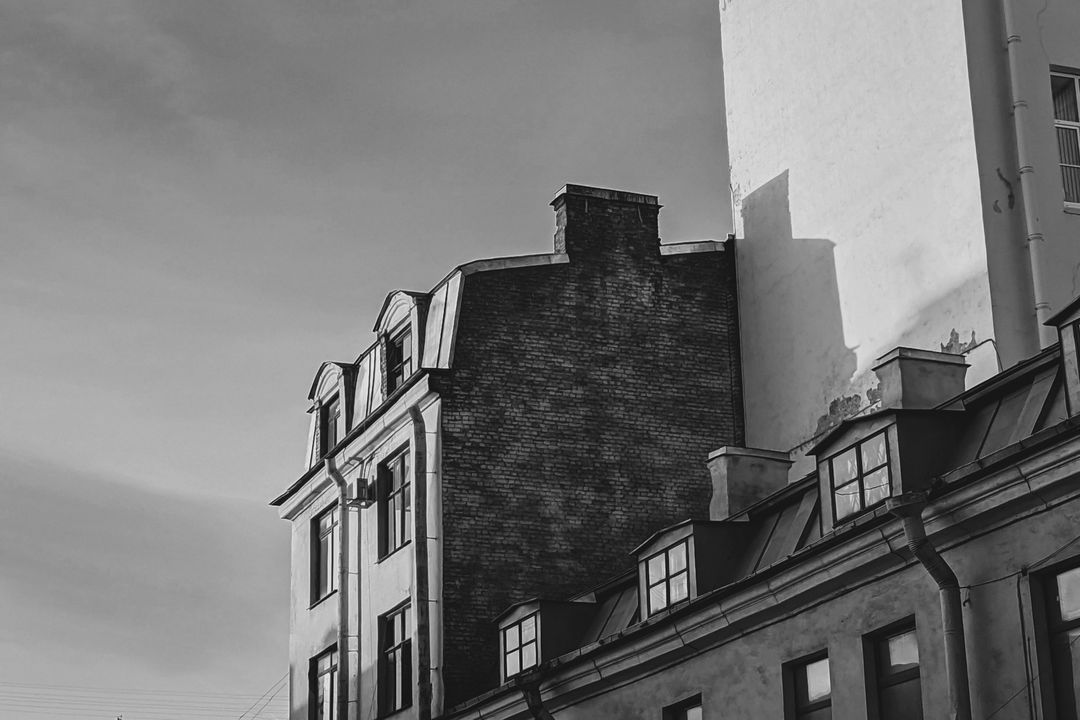
Black & White · Light & Shadow · Matte Blacks · Neutral

What Maren did here

  1. Shape the Light
  2. Tint Shadows and Highlights
  3. Tune Color Intensity
  4. Refine Individual Colors
  5. Add the Finish

What Rafe did here

  1. Shape the Light
  2. Tint Shadows and Highlights
  3. Tune Color Intensity
  4. Refine Individual Colors
  5. Add the Finish

What Ivo did here

  1. Convert to Black & White
  2. Shape the Light
  3. Add the Finish

What Maren did here

  1. Shape the Light
  2. Tint Shadows and Highlights
  3. Tune Color Intensity
  4. Refine Individual Colors
  5. Add the Finish

What Rafe did here

  1. Shape the Light
  2. Tint Shadows and Highlights
  3. Tune Color Intensity
  4. Refine Individual Colors
  5. Add the Finish

What Ivo did here

  1. Convert to Black & White
  2. Shape the Light
  3. Add the Finish

What Maren did here

  1. Recover the Highlights
  2. Shape the Light
  3. Tint Shadows and Highlights
  4. Tune Color Intensity
  5. Refine Individual Colors
  6. Add the Finish

What Rafe did here

  1. Shape the Light
  2. Tint Shadows and Highlights
  3. Tune Color Intensity
  4. Refine Individual Colors
  5. Add the Finish

What Ivo did here

  1. Convert to Black & White
  2. Shape the Light
  3. Add the Finish

New characters arrive with updates.

Maren Free

Travel · Vivid

Your trip, the way you remember it: deep blue skies, turquoise water, fresh greens, golden sand and skin. Fixes harsh light and color casts first, then adds the punch. Whites stay clean; blacks stay black.

  • Deep Skies
  • Turquoise Water
  • Warm Skin

First, the photo

Maren rescues the photo before she styles it: exposure, color casts, blown highlights, a backlit subject, haze, a tilted horizon.

Pairs well with

Bright, Film 201 Classic and 204 Vivid; Portrait when there are people

In its own words

With Exposure at −1.20, this is outside my style. I’d go no further than −0.15.

Look 401 at 60% would bring this closer to my style.

Rafe Pro

Blue Hour

Blue hour, any hour: deep tones, quiet color, warm lights left glowing. Cool shadows; blacks stay deep without crushing.

  • Deep Tones
  • Muted Color
  • Warm Lights

Pairs well with

Cinema and Moody; Film 203 Cool and 205 Faded

In its own words

Midtones brightened—a little outside my style.

Look 501 is on and stays within my style.

Ivo Pro

Black & White

Lets go of color and looks at light: neutral black and white, matte blacks, whites that keep their texture. Bright skin in portraits, measured contrast on the street.

  • Light & Shadow
  • Matte Blacks
  • Neutral

Pairs well with

Mono

In its own words

There’s color in the photo—well outside my style.

Blacks are clipping—a little outside my style.

How it works

It shows its work.

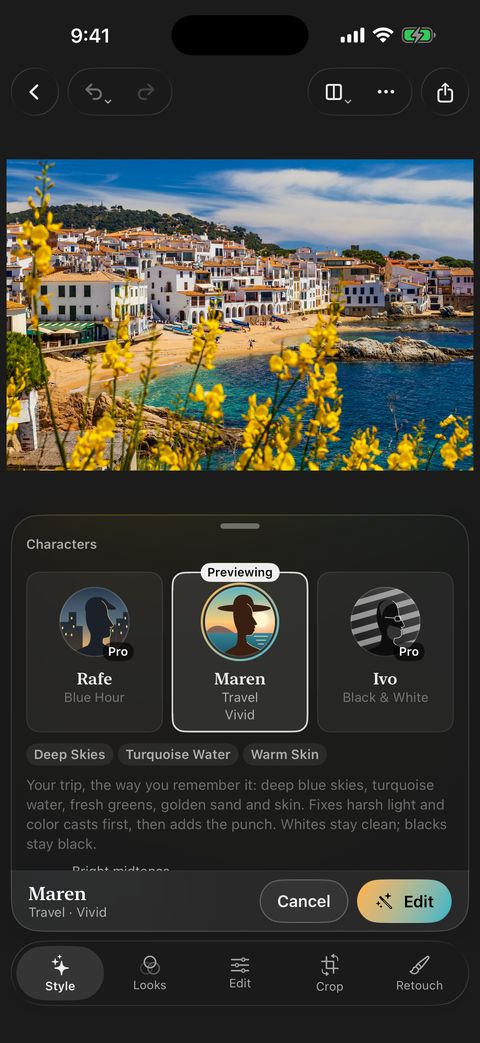
Tonalier on iPhone: previewing Maren on a photo, with her description and the Edit button.
01

Reads

Light, color and what’s in the frame. Every photo gets its own edit.
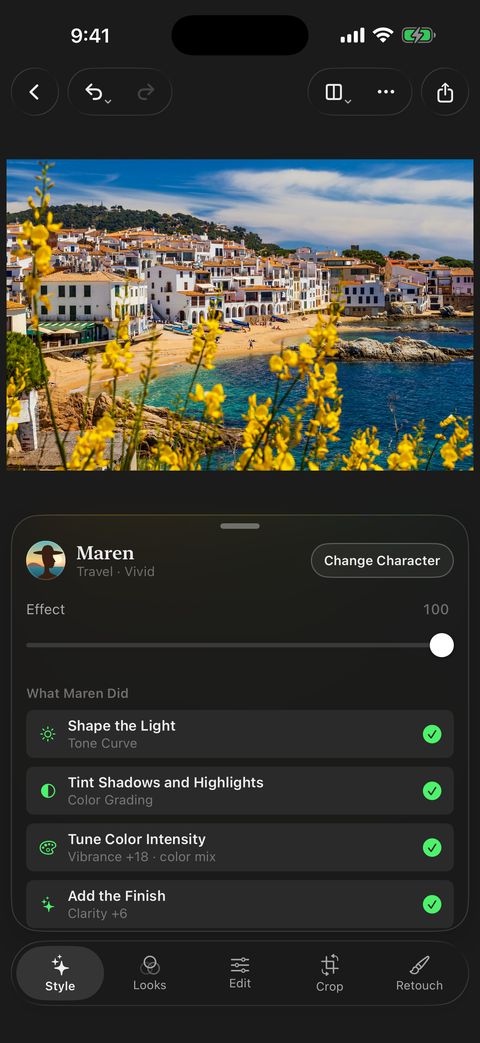
Tonalier on iPhone: the photo after Maren’s edit, with the Effect slider and her steps.
02

Edits

Exposure, color casts, blown highlights, a tilted horizon. Maren fixes the photo first, then adds her style.
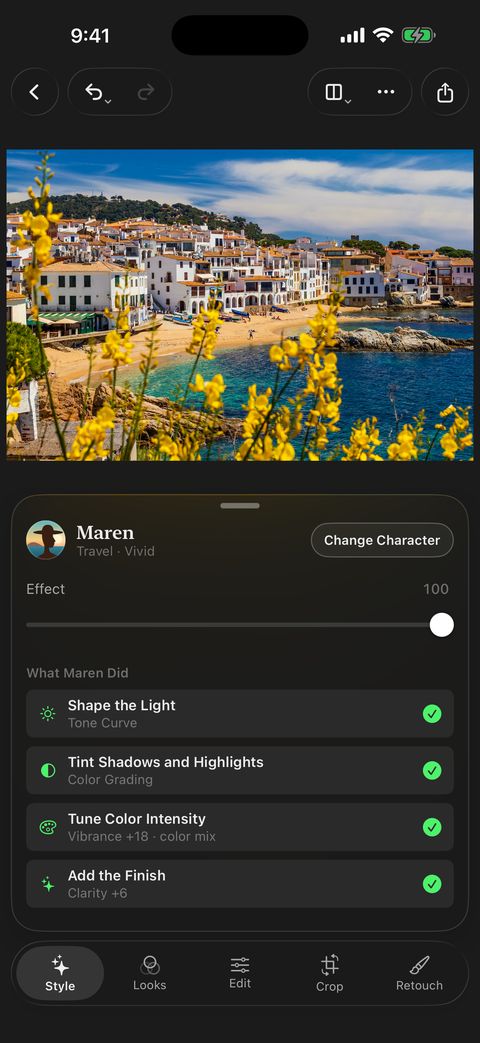
Tonalier on iPhone: What Maren Did, four steps, each with a switch.
03

Shows

What Maren Did lists every step. Turn one off and see the photo without it.
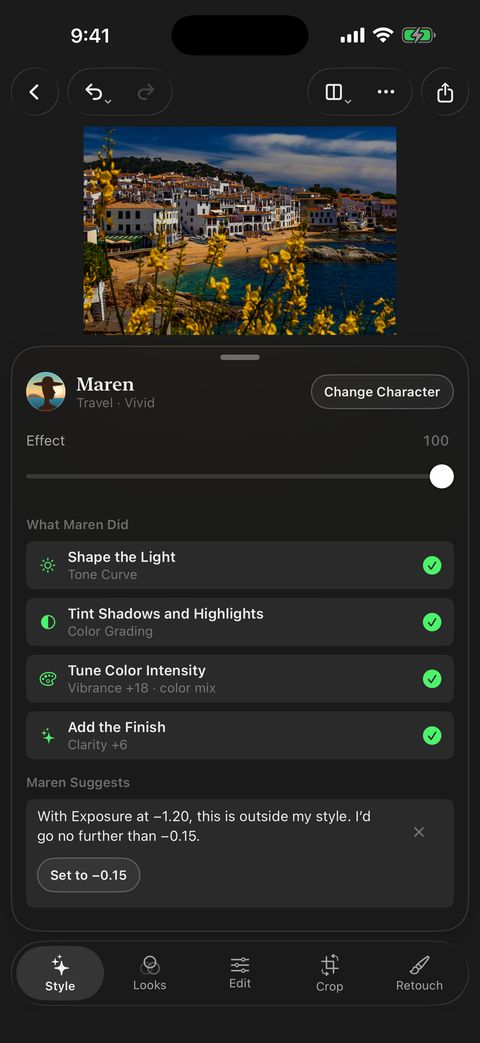
Tonalier on iPhone: Maren Suggests, with a note about Exposure and one button to set it.
04

Responds

Set the Effect from 0 to 100. Push a slider too far and Maren shows a short note, in her own words, with one tap to ease back.

Photo: Susan Flynn

Editing All free

A real RAW editor.

Every control is yours. Open the RAW file and work on all of it: recover the highlights, set the white balance, shape curves and color. Nothing is baked in, and every step can be undone.

Exposure to blacks, with a live histogram. Swipe across the photo to set a value; it shows at the top, clear of your thumb.

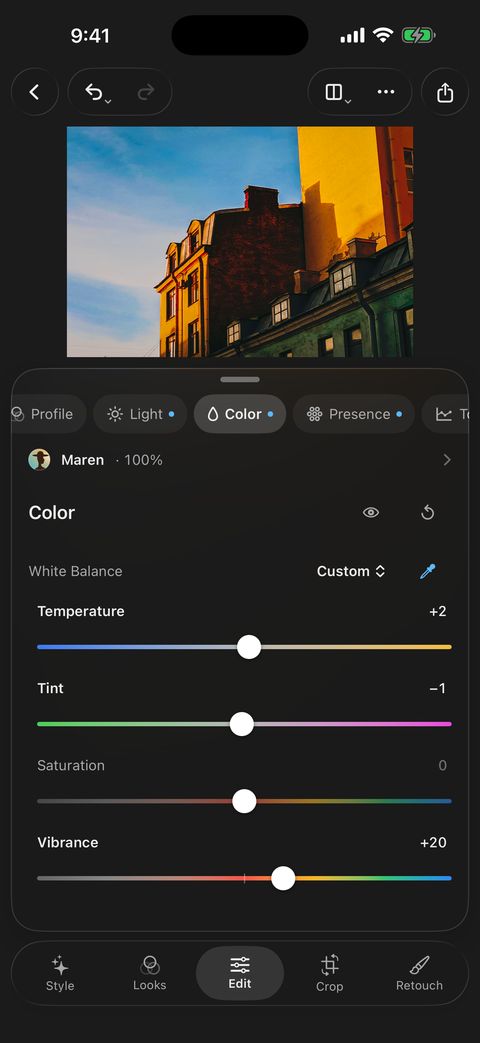
White balance with an eyedropper, vibrance and saturation.

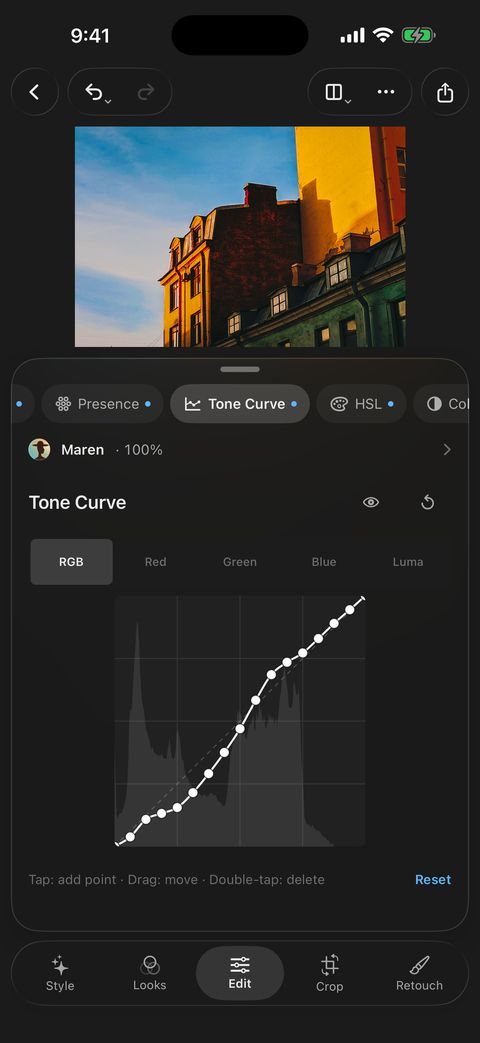
Shape contrast point by point, channel by channel.

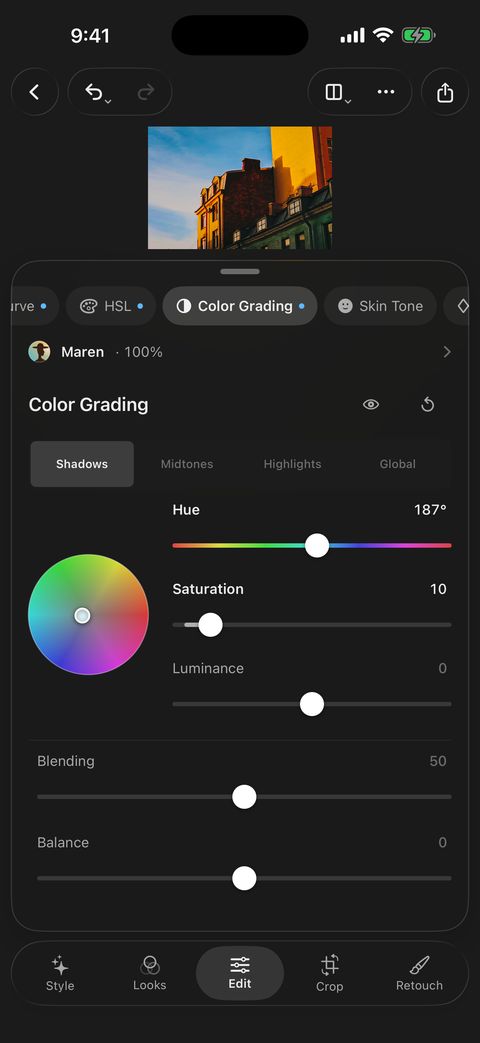
Tint shadows, midtones and highlights on their own.
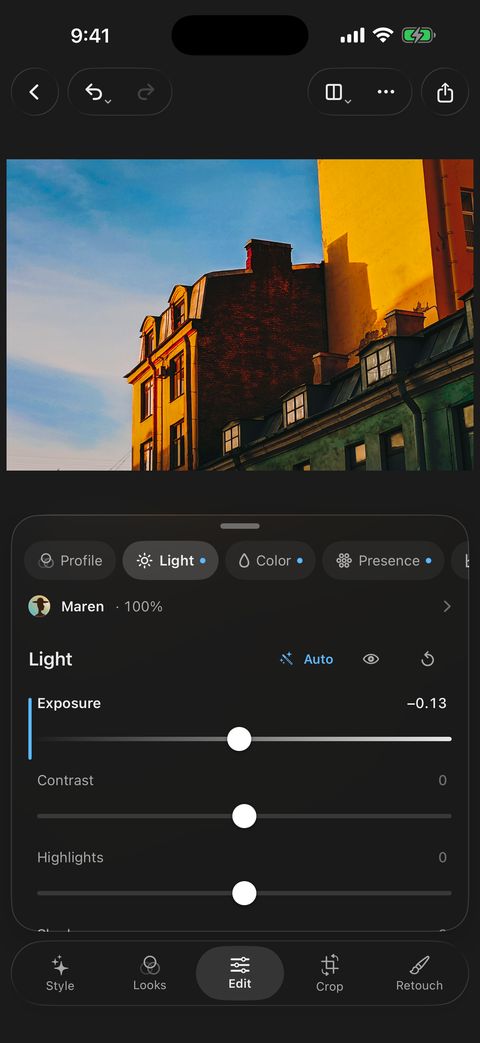
Opens DNG, CR2, CR3, NEF, ARW, RAF, ORF, RW2 and more RAW files, plus JPEG, HEIC, PNG and TIFF.

  • Non-destructive
  • Unlimited History
  • White Balance
  • Highlights and Shadows
  • Tone Curve per Channel
  • HSL
  • Color Grading
  • Noise Reduction
  • Sharpening
  • Lens Corrections
  • Perspective
  • Grain and Vignette
  • Histogram and Clipping
  • 1:1 Detail

Edit just the part you choose.

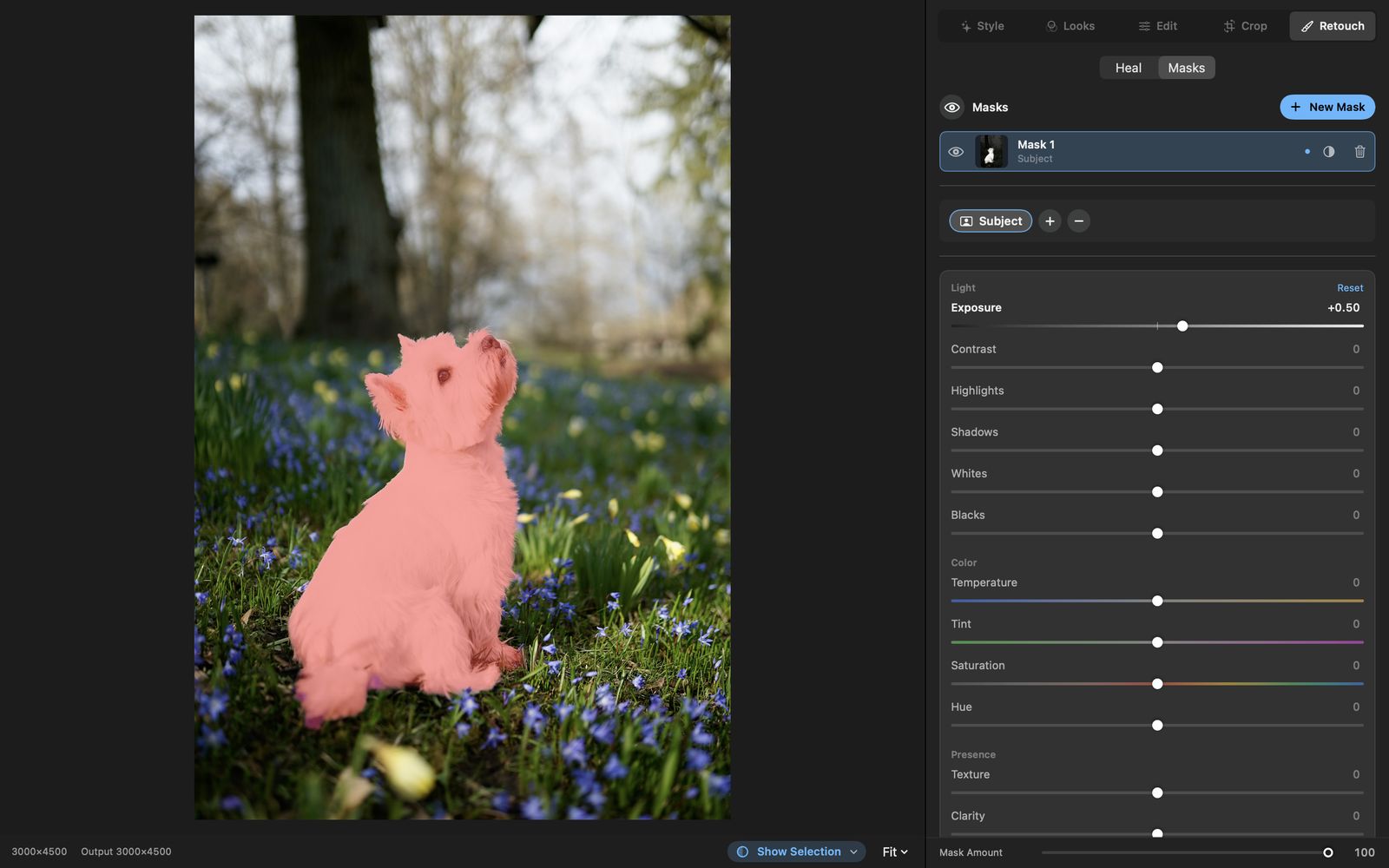
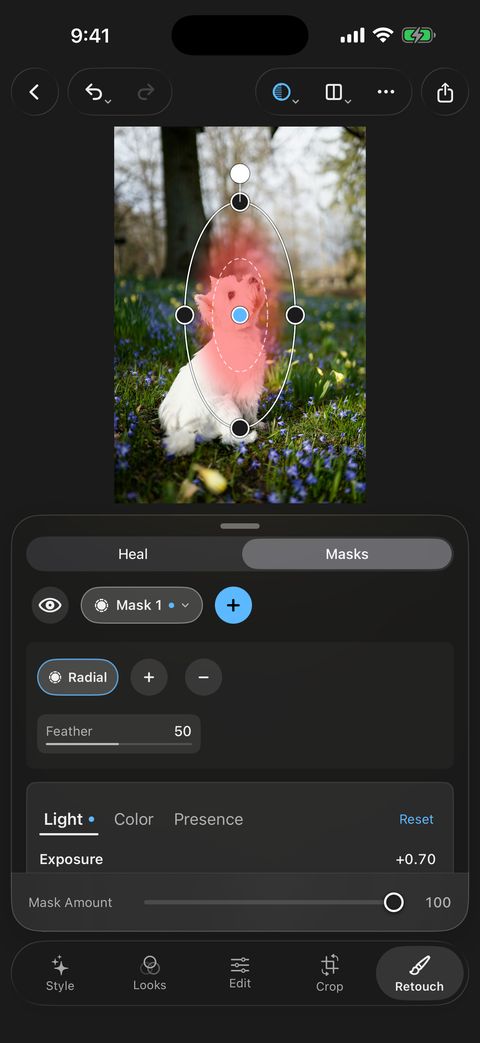
Select the subject or the people in one tap. Or draw it yourself with a brush, a linear or radial gradient, or a color or luminance range, then add, subtract and intersect.

  • Subject
  • Background
  • People
  • Brush
  • Linear Gradient
  • Radial Gradient
  • Color Range
  • Luminance Range

Clean up what distracts.

Tap a spot or paint over a small blemish, and Heal fills it from the photo around it. Change its size, feather and opacity, or find a new source.
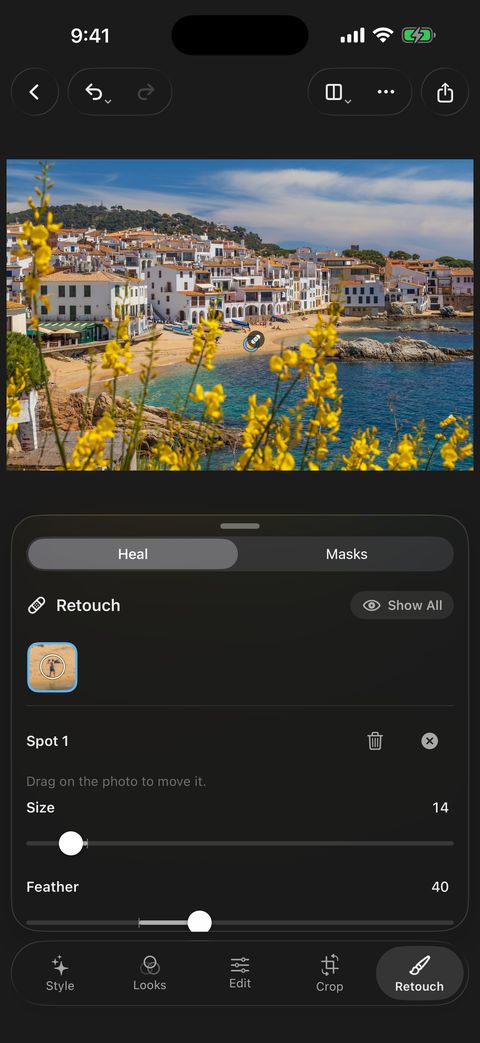
Every tool, all free

The full editor is included at no cost on iPhone, iPad and Mac.

Light
Exposure, Contrast, Highlights, Shadows, Whites, Blacks, Auto, Tone Curve
Color
White Balance with eyedropper, Vibrance, Saturation, HSL with adjust-on-photo, Color Grading, Skin Tone, Color and Monochrome profiles
Presence and detail
Texture, Clarity, Dehaze, Sharpening, Noise Reduction
Masks
Subject, Background, People, Brush, Linear Gradient, Radial Gradient, Luminance Range, Color Range; add, subtract, intersect and invert
Crop and lens
Aspect ratios, Straighten with Auto, Rotate, Flip, Perspective with Auto and Guided, lens distortion, chromatic aberration, lens vignette
Effects and retouch
Grain, Vignette, Fade, Heal for spots and blemishes
Viewing
Histogram, clipping warning, 1:1 zoom, before and after: split, wipe or side by side
Library
Search by content, color, camera, date and settings; ratings, picks, variants, copy and paste settings
Export
Social formats with Fit or Fill; JPEG, HEIC, PNG and 16-bit TIFF; quality, color space, resize, output sharpening, metadata

Supported files

RAW files are developed by Tonalier’s own engine. Your original file is never changed.

RAW
DNG, CR2, CR3, CRW, NEF, NRW, ARW, SRF, SR2, RAF, ORF, RW2, PEF, SRW, 3FR, FFF, IIQ, ERF, MEF, MOS, X3F, KDC, DCR, MRW, RWL, RAW, CAP
Other photos
JPEG, HEIC, PNG, TIFF
Export
JPEG, HEIC, PNG, 16-bit TIFF
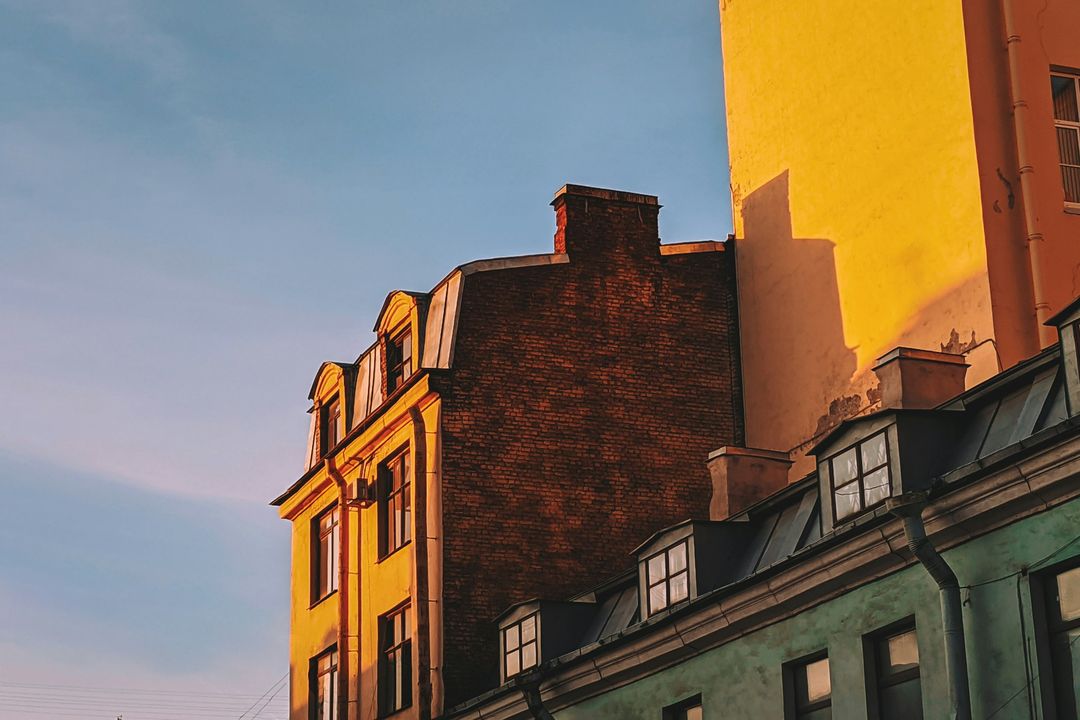
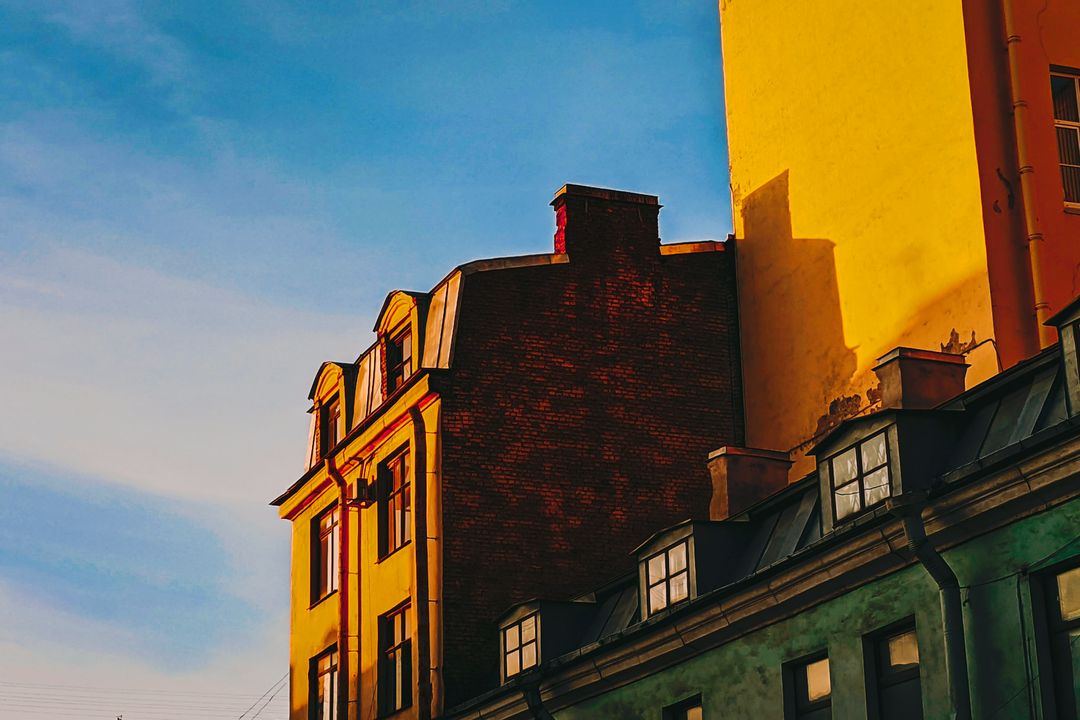
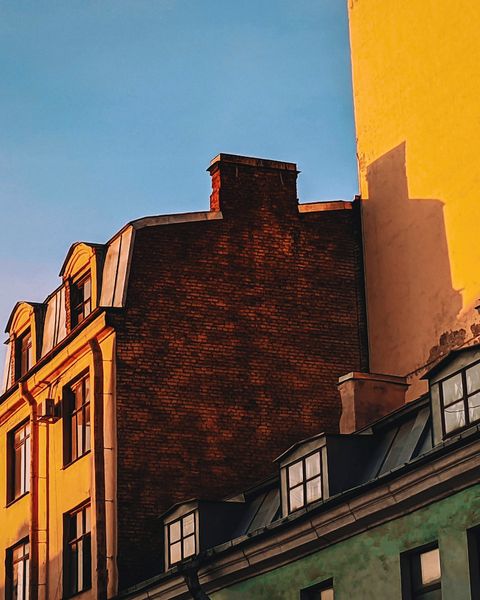
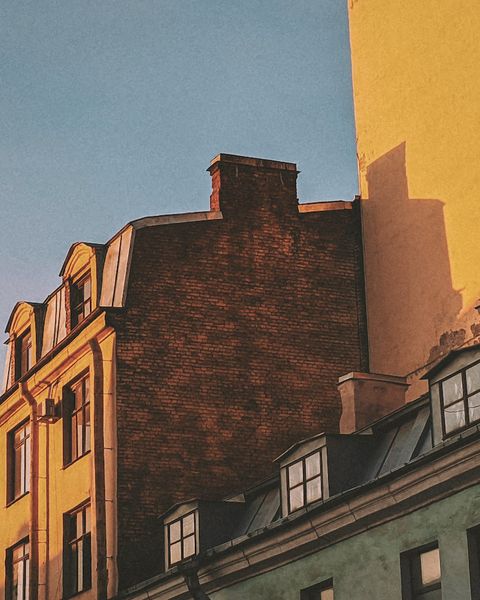
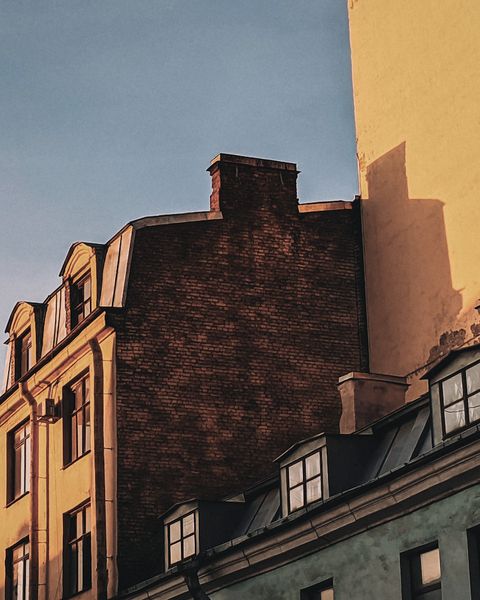
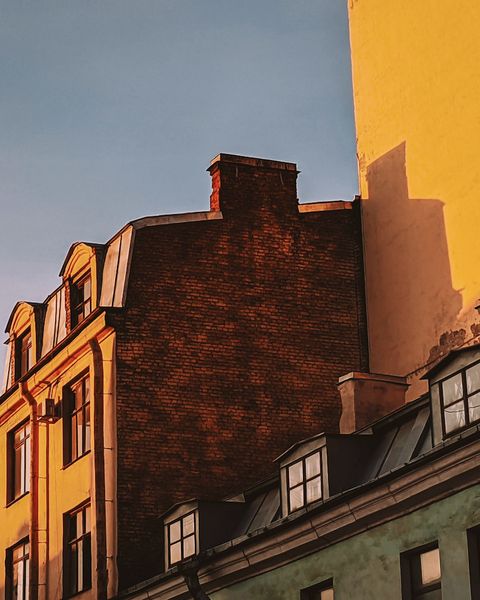
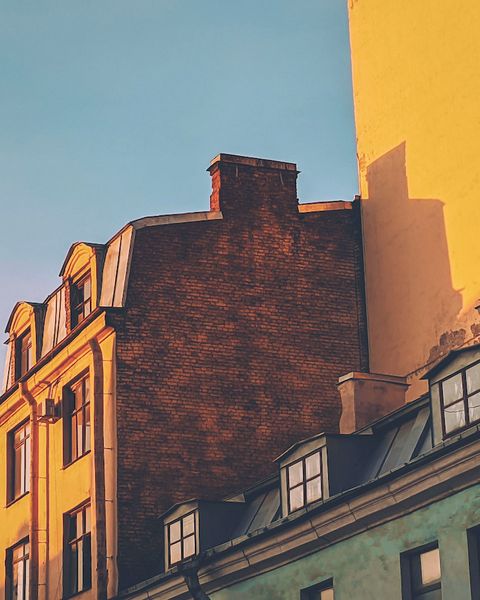
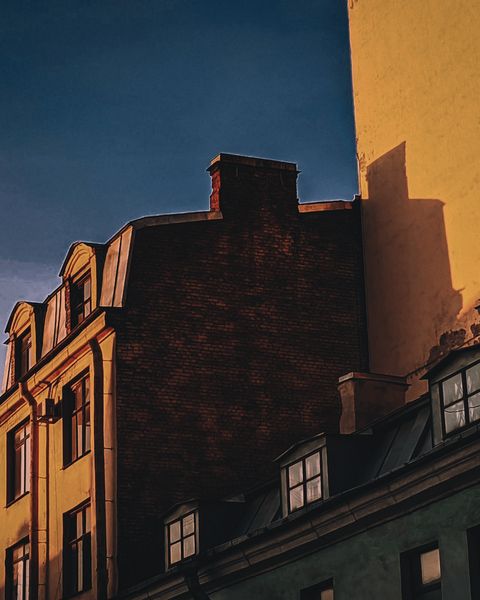
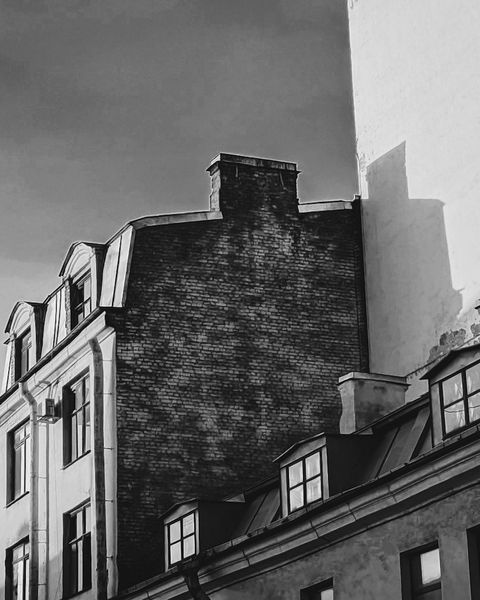
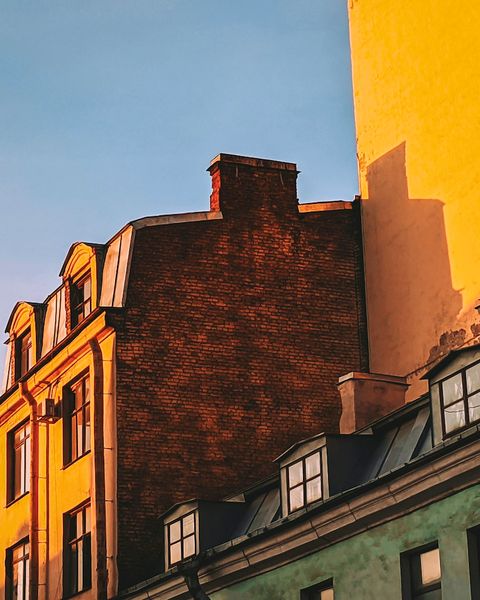
Old town houses in low evening sun, with the Look Film 204 Vivid
204Film VividSlide film: deep blacks, firm contrast, dense skies and greens, and very fine grain.

Photo: Vadim Babenko

Looks

Twenty-five Looks, made by hand.

Six series, from Film to Mono. Blend one in with Amount, or pair it with a character and it settles into your photo.

Eight of the 25
Looks, volume one

Twenty-five Looks in six series. The first Look of every series is free.

101Portrait NaturalFree
Clean and true to life: a little more light and color, with skin left as it is.
102Portrait Warm
Golden-hour warmth: richer, glowing skin and golden light in the midtones, while whites, snow, and skies stay clean.
103Portrait Cool
A touch of coolness for photos that came out too yellow: whites, walls, and lamplight calm down, yellows and greens settle, and skin keeps its own color.
104Portrait Soft
Made for harsh sun: a soft shoulder holds bright skin and skies, shadows open up, skin turns calmer and smoother, and blacks stay deep.
201Film ClassicFree
Color negative film: highlights that roll off softly, gently lifted blacks, olive greens, pale skies, and fine grain.
202Film Warm
Classic on a warm roll: golden light, yellow-green foliage, and warm blacks, with a little more bite and grain.
203Film Cool
Classic on a cool, fast roll: green-cyan shadows, cooler greens, softer contrast, and coarser grain.
204Film Vivid
Slide film: deep blacks, firm contrast, dense skies and greens, and very fine grain.
205Film Faded
An expired roll: milky, raised blacks, thin color, and heavy grain.
301Cinema FeatureFree
The natural big-screen picture: highlights that roll off gently, soft, deep shadows that keep their detail, color that calms as it gets brighter, and true, pleasant skin.
302Cinema Bypass
Feature through a bleach bypass: silvery, with far less color, harder midtones, and coarser grain, while skin stays alive.
303Cinema Amber
Feature turned warm: amber shadows and midtones, golden highlights, and blues held back.
304Cinema Steel
Feature turned cold: steel-blue shadows, drained greens, and a slightly darker frame, while faces keep their warmth.
401Bright AiryFree
Bright and airy: lifts the whole picture by almost half a stop, with open shadows, clean whites, and lighter greens.
402Bright Cream
Warm and creamy: brighter, with cream whites and honey shadows.
403Bright Pastel
Bright and soft, with lavender shadows, minty greens, and gentle color.
404Bright Matte
Bright matte: lifted blacks and quiet, neutral color, with skin kept warm.
501Moody DarkFree
The classic dark, moody look: deep, dense, and quiet, with held highlights, muted greens and skies, cool shadows, warm light, and a soft film fade.
502Moody Copper
Dark with warm copper-brown shadows and amber yellows instead of cool steel.
503Moody Moss
Dark with earthy color: olive greens kept alive and gray-muted blues instead of suppressed greens and steel skies.
601Mono ClassicFree
Classic black and white: neutral, with a full scale from true black to paper white and fine grain.
602Mono Grit
Classic pushed in development: harder midtone contrast, a harsh toe, and coarse grain.
603Mono Soft
Classic on a soft paper grade: gentle midtone contrast with the same true black and white.
604Mono Sepia
Classic with restrained warm-brown toning, strongest in the highlights.
605Mono Storm
Classic through a red filter: deep, dramatic blue skies, bright clouds, and pale skin.

Library

Find any photo by asking for it.

Type what you remember: what’s in the photo, a color, a date, a camera setting. Combine words to narrow it down. The search runs on your device.
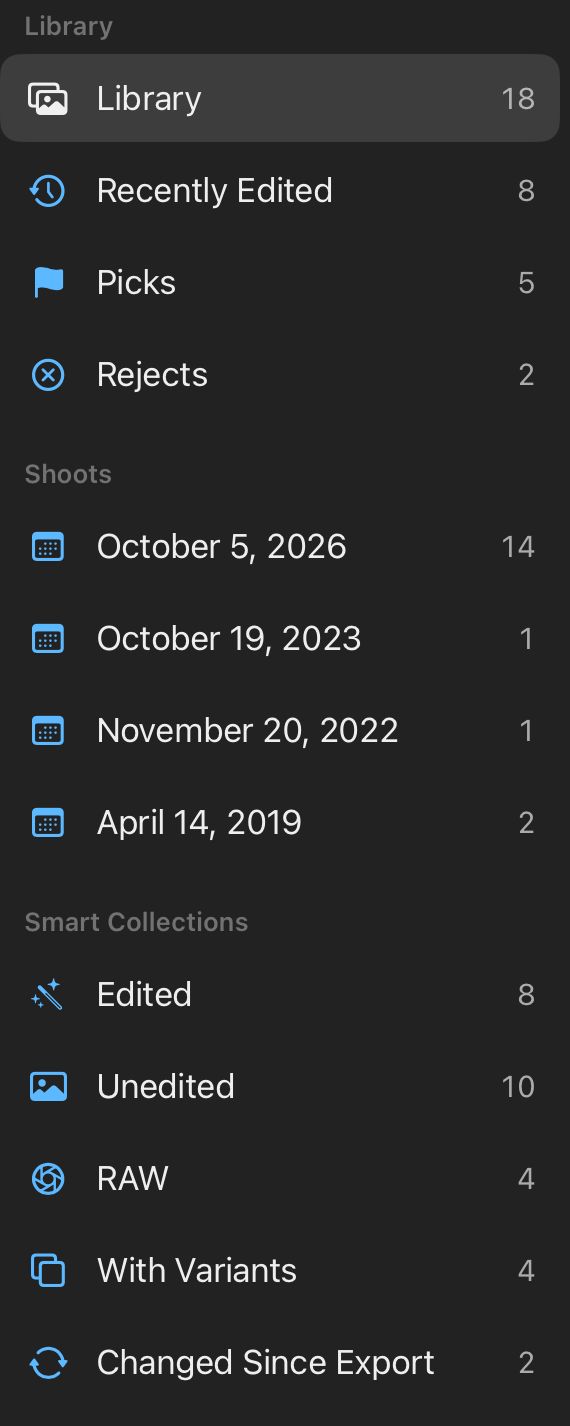
Tonalier’s library sidebar: Library, Recently Edited, Picks, Rejects, a shoot by date, and the smart collections Edited, Unedited, RAW, With Variants and Changed Since Export.
Smart collections
Edited, Unedited, RAW, With Variants and Changed Since Export keep themselves up to date.
Stars, picks and shoots
Rate and flag as you go. Photos from the same outing are grouped into shoots.
Variants
Try a second edit of the same photo without a second file.
A whole set at once
Start a selection with one character, or copy settings and paste them across.

Export

Ready to post.

Portrait, Square, Story or Landscape. Fit the whole photo on a white, black or blurred background, or fill the frame. Sized for Instagram, TikTok and YouTube.
The coastal village photo framed for the chosen format

Portrait · 4:5 · Instagram post

Square · 1:1

Story · 9:16 · Instagram and TikTok stories

Landscape · 16:9 · YouTube

Photo: Susan Flynn
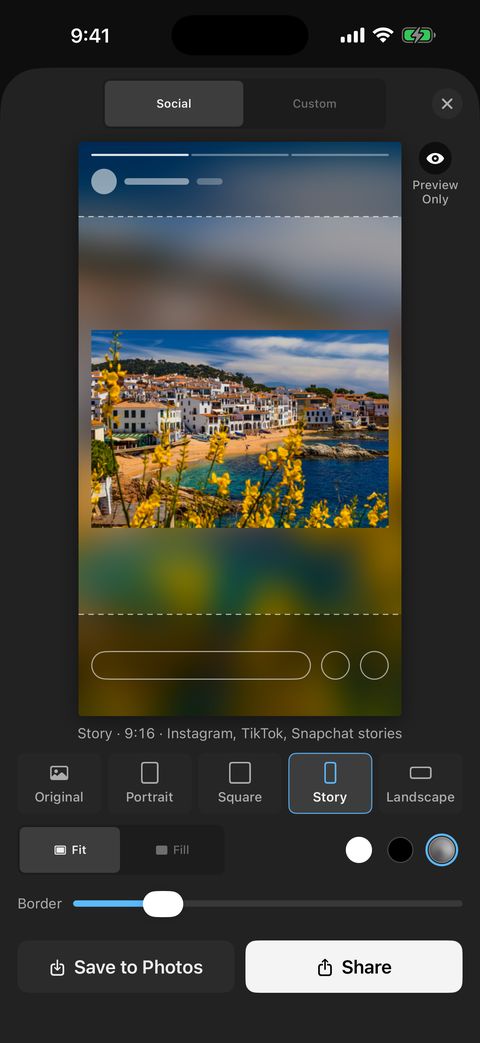
Tonalier on iPhone: Export on Social with Story selected, the photo fitted on a blurred background.
Format
Placement
Background

One edit. Three screens.

iPhone, iPad and Mac, with a single purchase. The same edit looks the same on each one.
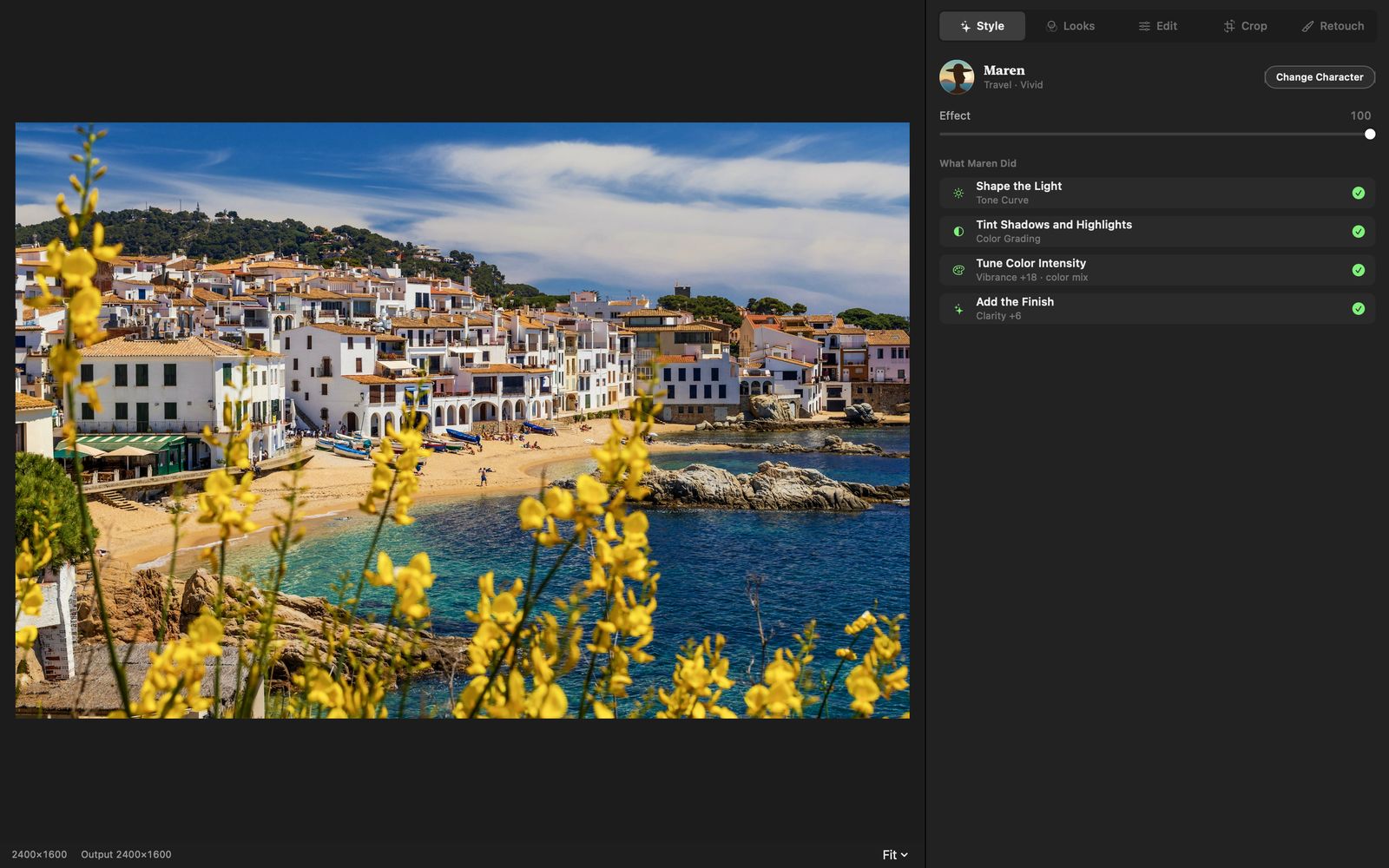
Tonalier on Mac: the photo beside the Edit panel and histogram.
Tonalier on iPad: the coastal photo with Maren’s steps in the side panel.
Tonalier on iPhone: the same photo and the same steps.

Photo: Susan Flynn

Under the hood

Built from the pixel up.

Our own engine
Written from scratch in C++. One codebase renders every pixel on iPhone, iPad and Mac.
What you see is what you export
The preview, the 1:1 view and the exported file share one pipeline.
On your device
Your photos are processed where they live. No sign-up, no upload.
Always reversible
Edits are stored as instructions, with unlimited history. Your original stays as it was.

Characters use the same sliders and masks you do. Every pixel in the result comes from your photo.

Start free.

Every editing tool is free. Tonalier Pro adds every Look and every editor.

Free

$0

Every editing toolRAW, masks, curves, color grading, heal. Nothing held back.

  • Maren, your first editor
  • One Look in every series
  • Export without a watermark
  • No sign-up. Open it and edit.

Tonalier Pro

$29.99per year

or $6.99 per month

Everything in Free, plus

  • All 25 Looks
  • Rafe and Ivo
  • New Looks and characters as they arrive

One subscription for iPhone, iPad and Mac. It is tied to your Apple Account; restore it on any of your devices.

US prices; they vary by region. Billed through the App Store. Cancel anytime.

Questions, answered.

What does a character do?

It reads your photo’s light and color, then edits it with the same tools you have: exposure, curves, color, masks. Every step is listed, and you can turn any of them off.

Is this generative AI?

No. Characters adjust light, color and tone, so every pixel in the result comes from your photo. Subject and person detection runs on your device.

What’s free, and what’s in Pro?

Free: every editing tool, Maren, one Look in every series and export without a watermark. Tonalier Pro adds all 25 Looks, Rafe and Ivo, and new Looks and characters as they arrive.

Which files does Tonalier open?

RAW files with these extensions: DNG, CR2, CR3, CRW, NEF, NRW, ARW, SRF, SR2, RAF, ORF, RW2, PEF, SRW, 3FR, FFF, IIQ, ERF, MEF, MOS, X3F, KDC, DCR, MRW, RWL, RAW, CAP. Also JPEG, HEIC, PNG and TIFF. Export to JPEG, HEIC, PNG and 16-bit TIFF.

Which devices does it run on?

iPhone and iPad with iOS or iPadOS 17 or later, and Mac with macOS 14 or later. One purchase covers all three.

Do I need to sign up?

No. There is nothing to sign up for: open Tonalier and start editing. If you subscribe to Pro, the subscription is tied to your Apple Account, so you can restore it on any of your devices.

Where are my photos kept?

On your device, in Tonalier’s own library. Your originals stay as they are, and exporting creates a new file.

How do I cancel Tonalier Pro?

In your App Store subscriptions, at any time. Pro stays on until the end of the period you paid for, and every editing tool stays free.

Give your photos an editor.

Coming soon on the App Store

Photo credits

Every before and after on this page is real Tonalier output. The photographs are used under the Unsplash License.

Beach with turquoise water
Ron Barabash · Unsplash License
Coastal village
Susan Flynn · Unsplash License
Evening street
Vadim Babenko · Unsplash License
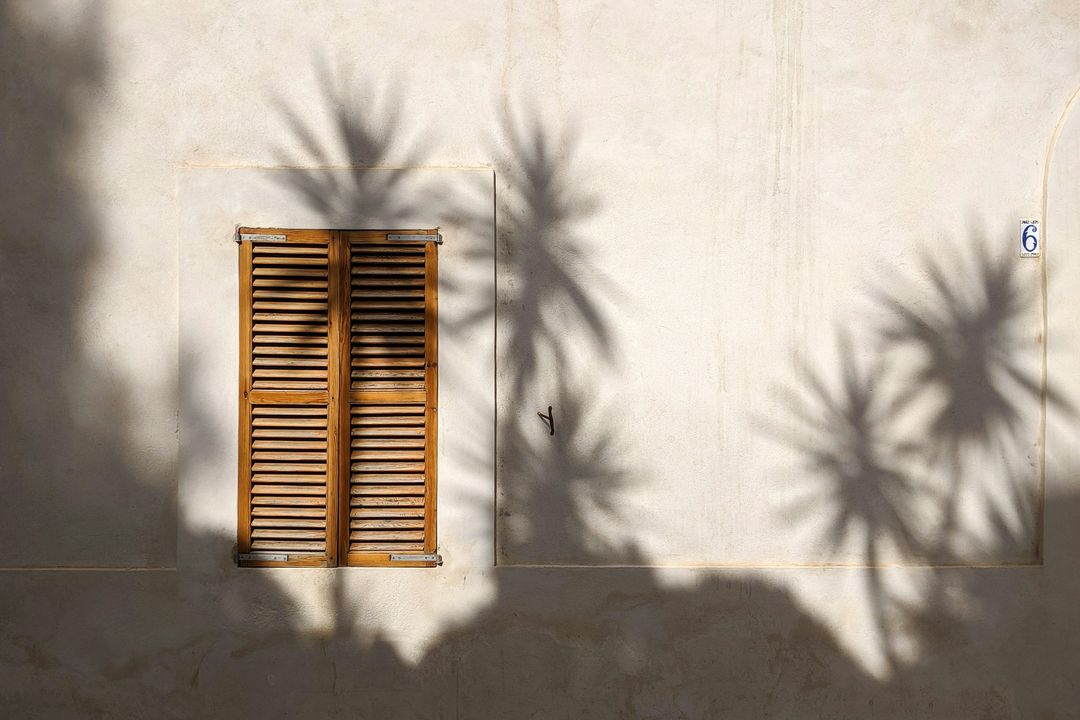
Shutters and palm shadows
Kadir Celep · Unsplash License
Small white dog among spring flowers
Jonny Neuenhagen · Unsplash License

Unsplash License